How can an employee submit Expense Reimbursement?

Business administrators can manage employee reimbursement expenses directly in the Category Management section. They can create categories such as hotels, parking, meals, office supplies, software, and more. Each category can be linked to a specific Chart of Accounts (COA), ensuring accurate accounting and reporting.

Once saved, these simplified categories will be available for employees when submitting their reimbursement requests.

How to Add Categories:

  1. Access your Docyt account by logging in with your credentials.

  2. Navigate to the 'Expense > Expense Reports > Add Expense' option in your module sections.

  3. It will open page of Adding Expense.

  4. Move the cursor towards + icon on right corner and add Expenses to this section

  5. On right opened panel fill the details of category name and map with General Ledger.

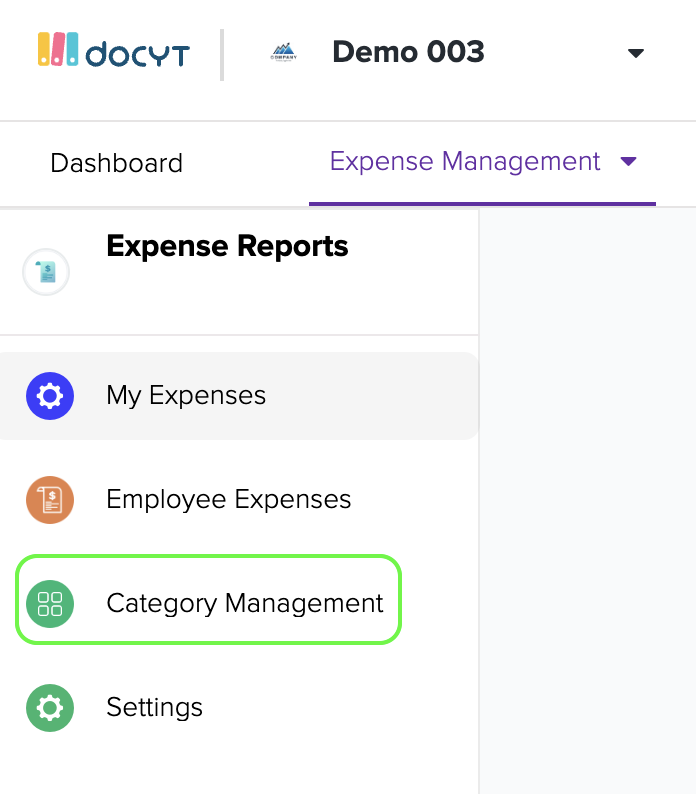
  1. Click on 'Category Management' in the left navigation menu.
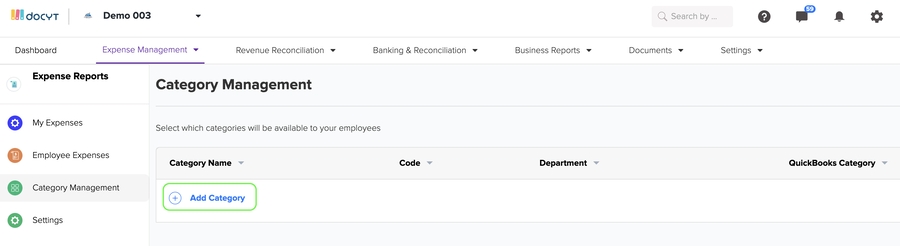
  2. Click the '+ Add Category' button to add a new category. This will allow you to create a new category for your expenses easily.
  3. Enter the desired name in the 'Category Name' field to name the category. To connect the Docyt Category with the correct QuickBooks chart of accounts, click on 'Category' under the 'Map category from QuickBooks' option. Finally, save the new category name by clicking the 'Save' button.

Last updated

Was this helpful?